Guardian App
Follow your child’s bus journey from your phone.
- Live bus location and expected arrival time
- Alerts when your child boards or gets off
- Vehicle, driver and conductor details

SchoolQlik shows the school every bus, trip and boarding record in one dashboard, and keeps parents and bus staff informed through their own apps.
The route is set, the bus starts, a student boards, and the parent is told. This sample shows the order in which updates appear.
A GPS device on the bus and three connected apps share the same trip information, so nobody has to phone around to find out where the bus is.
See the bus on a map, the expected arrival time and your child’s boarding status.
See who is due on the bus, mark boarding and report trip problems quickly.
Plan routes and stops, watch trips as they happen and get alerts about delays.
Keep records of buses, staff and students, and download reports when you need them.
Follow your child’s bus journey from your phone.
Run each trip with a clear list of students.
Manage school transport from a web dashboard.
Five views of the SchoolQlik Admin software, drawn as illustrations with sample values. Choose a view, then tap a label to highlight that part.
Five stops on a typical journey.
The school adds buses, staff, students, routes and stops in the Admin App.
The trip shows in the Conductor App with its route, timings and student list.
Students tap a smart card, or the conductor marks boarding in the app.
Parents get boarding alerts and can follow the bus live with its expected arrival time.
Trip history stays available to the school for review and reports.
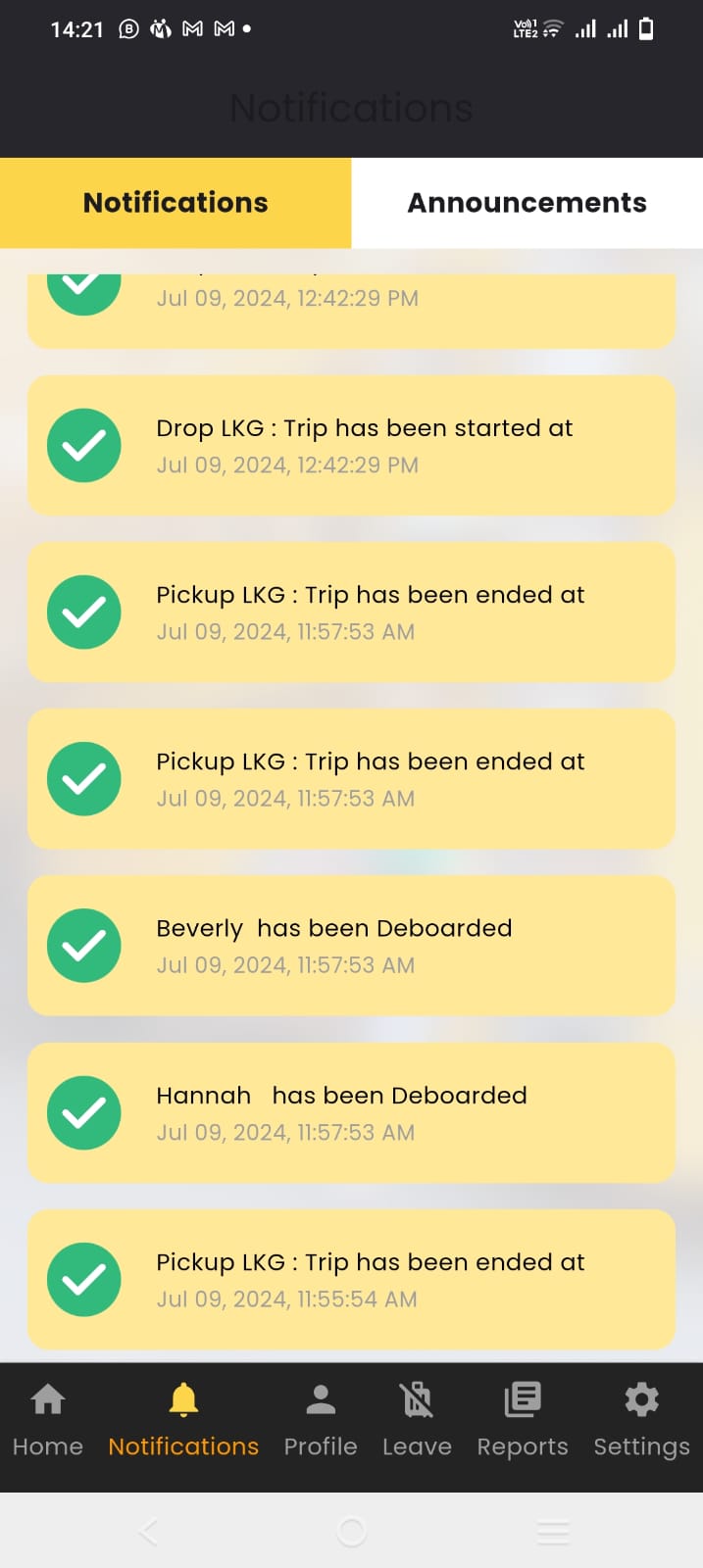
See where the bus is during the trip.
Get notified when the bus sets off and when it is close to your stop.
Leave for the stop at the right time instead of waiting outside.
Illustration, not a product screenshot.
An alert is raised when a bus goes over the speed limit set for it.
Administrators are alerted if a bus leaves the area defined for its route.
The school is alerted when a bus runs late. The apps keep school, police and ambulance numbers one tap away.
Illustration, not a product screenshot.
Students tap an NFC or RFID card when they board and leave the bus. Staff can also mark it in the app.
Authorised staff can add or change routes and stops for each bus.
Watch buses across branches, look up past trips and download reports.
Where is my child right now?
Live tracking shows the bus on a map, with your child’s boarding status.
Did my child get on the right bus?
You get a boarding alert, and the conductor is warned if a child tries to board the wrong bus.
How long will I be waiting at the stop?
The expected arrival time and “bus is near” alerts tell you when to leave home.
We answer bus calls from parents all day.
Parents can check the app themselves, and the school can send notifications to one guardian or a group.
Bus attendance is still on paper.
Boarding is recorded by card tap or in the Conductor App, and saved with the trip.
We only hear about delays afterwards.
The dashboard shows each bus live and raises alerts for delays and route changes.
It is software that lets the school and parents see where a school bus is during a trip. SchoolQlik combines a GPS device on the bus with mobile apps for parents and bus staff and a web dashboard for the school.
Yes. The Parent App is available for Android and iPhone. It shows the bus location and sends alerts when the bus starts, approaches the stop, and when the child is picked up or dropped off.
Parents are alerted when the system detects a delay or a change of route. The school is alerted too, so staff can act quickly.
Send us your details through the enquiry form or call us. Our team will contact you to discuss your school’s needs and arrange the trial.
Tell us about your school and buses. Our team will get in touch to arrange a free trial and answer your questions.